
Top AI Humanizers of 2026: Best Tools Compared by Free Access, Output Quality, and Use Case

Summary
For specific use cases, QuillBot AI Humanizer is better for existing QuillBot users, Undetectable AI is better for teams that need a full writing suite, and Phrasly AI is better for users who want an all-in-one writing workspace. Tools like WriteHuman, Walter Writes AI, Stealth Writer, HIX Bypass, TwainGPT, Humbot AI, and Grubby AI can still be useful, but they need closer review because of limits around free access, output consistency, errors, or detector feedback.
Introduction
Choosing an AI humanizer in 2026 is harder than it looks. Almost every tool promises to make AI-generated text sound more natural, but the actual experience can be very different once you test the free version, paste in a real draft, and compare the output with the original.
Some tools are easy to try but only give you a tiny word limit. Some produce smoother sentences but quietly change important details. Some look strong because they include a detector, but the rewritten text still needs manual editing. And some tools work well for short paragraphs but feel less reliable when you use them on blog posts, emails, product copy, or longer structured drafts.
That is why this comparison does not rank tools by marketing claims alone. I looked at each AI humanizer by the factors that matter in real use: whether it is actually free to test, whether sign-up is required, how well it preserves meaning, how natural the output sounds, whether it introduces errors, whether important information changes, and how the result performs as a GPTZero reference signal.
The goal is simple: help you quickly decide which AI humanizer is worth trying first, which one fits your workflow, and which tools need more caution before you rely on them.
Quick Verdict: Which AI Humanizer Should You Choose?
If you only want the fastest answer, here is my practical recommendation.
Best overall AI humanizer: GPTHumanizer AI
Best free AI humanizer with no sign-up: GPTHumanizer AI
Best for existing QuillBot users: QuillBot AI Humanizer
Best full writing suite: Undetectable AI
Best all-in-one writing workspace to test carefully: Phrasly AI
Best guided dashboard for short drafts: Walter Writes AI
Best simple short cleanup tool: WriteHuman
Best dashboard to use with detector caution: Stealth Writer
Best feature-rich tool to test carefully: HIX Bypass
Best lightweight all-in-one tool: TwainGPT
Best broad toolkit with mixed humanization depth: Humbot AI
Best budget option for low-stakes testing: Grubby AI
My overall advice is simple: if you want a focused AI humanizer that you can test quickly without creating an account, start with GPTHumanizer AI. If you want a larger writing platform, compare QuillBot, Undetectable AI, or Phrasly AI. If you only need a quick rewrite for a short paragraph, WriteHuman, Walter Writes AI, or TwainGPT may be enough, but you should still review the output carefully.
Best AI Humanizers at a Glance
This table combines free access, sign-up requirements, rewrite quality, meaning retention, error risk, important information control, GPTZero reference results, and my practical take.
Tool | Best for | Free? | Sign-up required? | Meaning kept? | Naturalness / Errors | Important info changed? | GPTZero reference | My take |
|---|---|---|---|---|---|---|---|---|
GPTHumanizer AI | Best overall free AI humanizer | Yes, unlimited Lite use, 300 words/request | No | Strong | Smooth / Low | Low | Mostly human | Best balance of free access, meaning retention, and natural readability |
QuillBot AI Humanizer | Existing QuillBot users | Yes, 125 words/input, 6 uses/day after login | Yes after first test | Strong | Smooth but conservative / Low | Low | Mixed | Good for light polish, but not deep humanization |
Undetectable AI | Agencies, SEO teams, API users | Paid word packages | Yes | Mostly kept | Usable but needs cleanup / Medium | Low–Medium | Mixed / weaker than expected | Stronger as a full writing suite than a quick humanizer |
Phrasly AI | All-in-one writing workspace | Yes, 300 AI words in free dashboard | Yes | Mostly kept | Mixed / Medium | Medium in Aggressive mode | Mixed to mostly human | Useful suite, but mode choice matters a lot |
Stealth Writer | Rewriting + built-in checker dashboard | Yes, 10/day, 1,000 words/input | Yes | Mostly kept | Smoother / Medium | Low–Medium | Not reliable enough | Good for cleanup, but do not trust the internal score alone |
Walter Writes AI | Polished guided dashboard | Free trial, 300 words | Yes | Mostly kept | Clear but can get formal / Medium | Low | Mostly human | Easy to use, but the trial is too small for serious testing |
HIX Bypass | Fast mode-based rewriting | Free first test, under 2,000 words in test | Required after first test | Mostly kept | Mixed / High | Medium | Mixed | Feature-rich, but output quality is not stable enough |
WriteHuman | Short light cleanup | Yes, 3 requests/month, 250 words/request | After first test | Mixed | Mixed / Medium | Low–Medium | Mixed to mostly human | Useful for short polish, not deep rewriting |
TwainGPT | Lightweight all-in-one testing | Yes, 250 humanizer words/month | Yes | Mostly kept | Mixed / Medium | Low–Medium | Mixed | Convenient for short rewrites, but not a top-tier final draft tool |
Humbot AI | Broad writing toolkit | Yes, limited free access; Basic plan starts with 500-word input limit | Yes | Mostly kept | Mixed / Medium–High | Medium | Mostly AI | Toolkit is broader than its humanization quality |
Grubby AI | Budget short-draft testing | Very limited free access | Yes | Mostly kept | Mixed / Medium | Low–Medium | Mixed to mostly human | Cheap and not useless, but consistency is the concern |
The most important pattern is clear: the best AI humanizer is not always the tool with the longest feature list. A good humanizer should preserve the original meaning, improve readability, avoid strange phrasing, keep important information intact, and give you an output that still feels editable by a real person.
How I Tested and Ranked These AI Humanizers
For this comparison, I looked at each AI humanizer through the same practical workflow. The goal was not to reward the tool that changed the most words. The goal was to find which tools produced the most useful rewrite while keeping the original meaning stable.
I focused on these factors:
1. Free access and sign-up barrier
A free AI humanizer should be genuinely usable, not just technically available. I looked at whether each tool offers a free version, whether users need to create an account, and how much text can actually be tested before hitting a limit.
This matters because many users want to try a tool on real writing before paying. A 100-word or 200-word free limit can be enough for a quick sample, but it is not always enough to judge whether a tool works for blog posts, emails, marketing copy, or longer drafts.
2. Meaning retention
The rewrite should keep the original point. If the tool makes the text smoother but changes the claim, weakens the judgment, removes a qualifier, or alters an important detail, the result is not reliable.
This is one of the biggest differences between a useful AI humanizer and a basic paraphrasing tool. A good result should sound more natural without quietly rewriting the author’s intent.
3. Naturalness and readability
I checked whether the output sounded like something a person would actually write and edit, not just a rearranged AI paragraph. The best tools improved rhythm, sentence flow, and clarity. Weaker tools often produced text that was technically different but still sounded generic, stiff, or over-polished.
4. Errors and awkward phrasing
Some AI humanizers introduce strange word choices, grammar issues, repeated phrases, or small typos. This is especially important because a “humanized” output that needs heavy cleanup may not save much time.
In the comparison table, I grouped this under Naturalness / Errors because most users do not separate awkward phrasing, typos, and grammar mistakes in real use. They simply want to know whether the output reads cleanly.
5. Important information control
A humanizer should not casually change product names, numbers, claims, price details, examples, or key conclusions. This matters even more for review articles, business writing, SEO content, and any draft with factual details.
A tool that makes the paragraph sound natural but changes important information is not a safe final-editing tool.
6. GPTZero reference
I included GPTZero-style feedback as a reference, but not as the only ranking factor. Detector results can vary depending on the text, tool, rewrite mode, and final human editing. A mostly human detector result is useful to know, but it does not automatically mean the writing is clear, accurate, or ready to publish.
For this reason, I treated GPTZero reference as one signal alongside meaning retention, naturalness, errors, and editing quality.
Individual Tool Verdicts
GPTHumanizer AI — Best Overall Free AI Humanizer
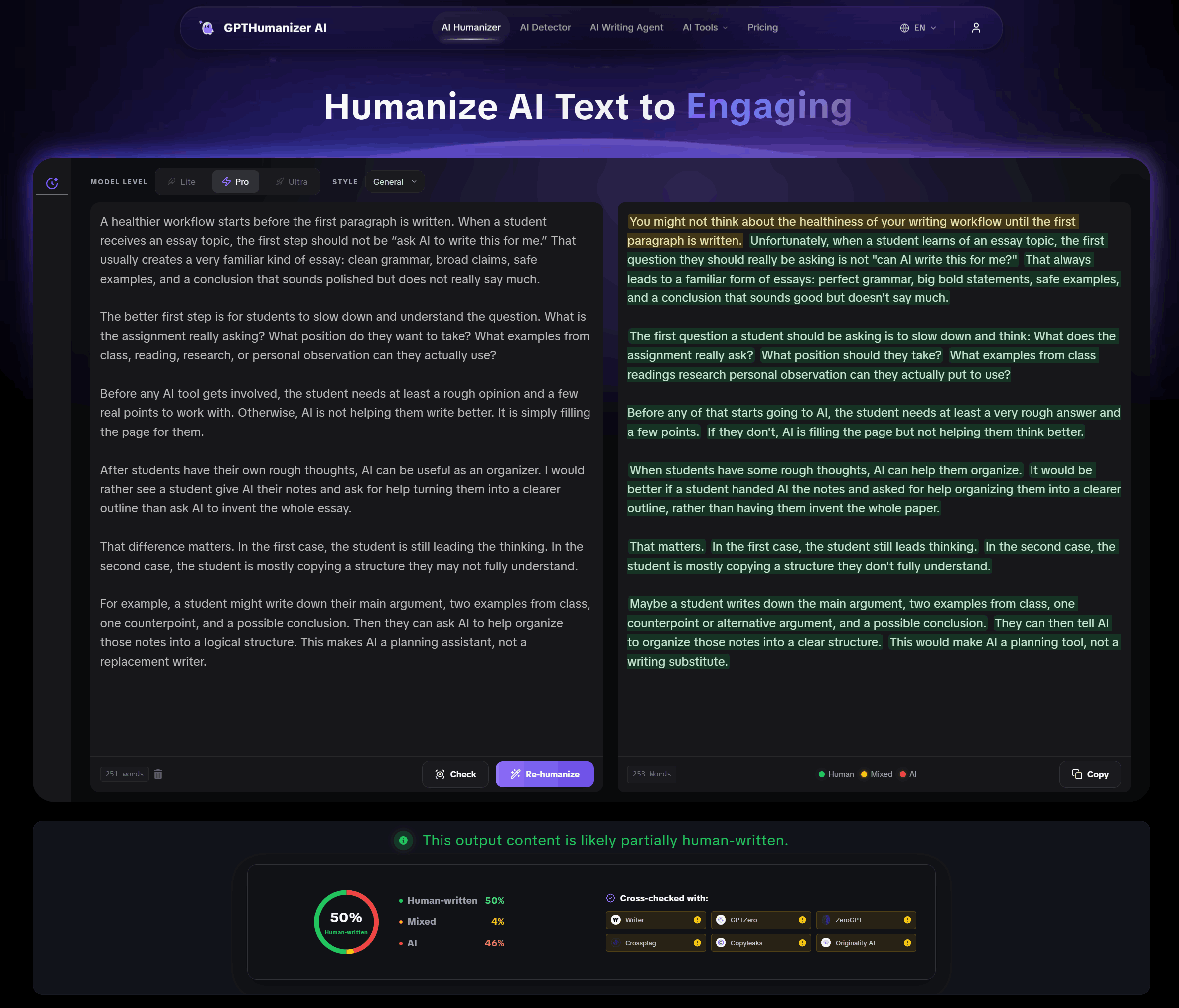
GPTHumanizer AI is the strongest starting point if you want a focused AI humanizer that is free to test, easy to use, and built around meaning-preserving rewriting.
Best for: Bloggers, marketers, SEO teams, business writers, content creators, and users who want no-sign-up AI text refinement.
Pros
Free Lite workflow with no sign-up and 300 words per request.
Strong balance of naturalness, readability, and meaning retention.
Better suited for focused rewriting than tools that feel like generic paraphrasers.
Built-in detector feedback can help users review the output more carefully.
Cons
Not a full writing suite like Undetectable AI or QuillBot.
Important drafts still need human review before publishing.
Read full review: GPTHumanizer AI Review
QuillBot AI Humanizer — Best for Existing QuillBot Users
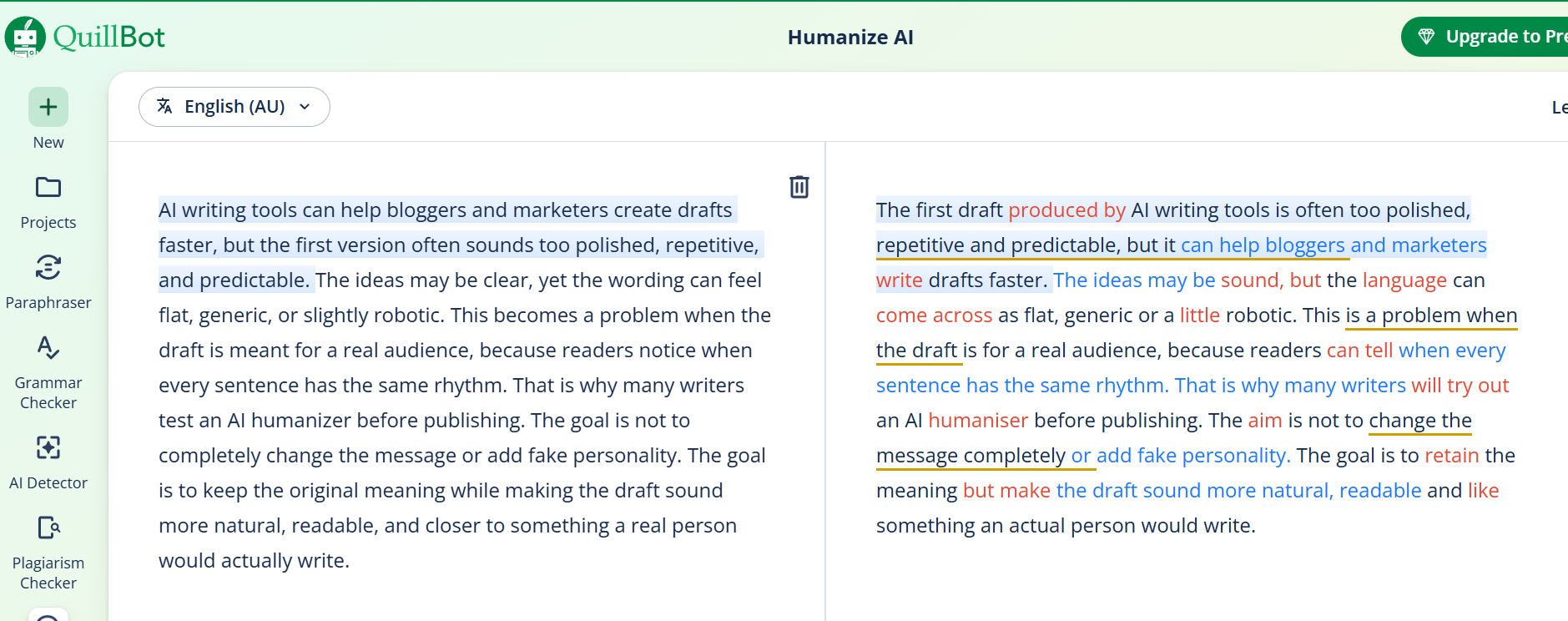
QuillBot AI Humanizer is a practical option if you already use QuillBot and want light sentence polish inside a familiar writing suite.
Best for: Existing QuillBot users, light rewriting, quick polish, and short sections that do not need deep restructuring.
Pros
Convenient if you already use QuillBot’s grammar, paraphrasing, and writing tools.
Meaning retention is generally strong because the rewrite stays close to the original text.
Useful for light cleanup when the draft is already reasonably clear.
Cons
The free input limit is small at 125 words/input.
The output can feel conservative, so it may not be enough for users who need deeper humanization.
Read full review: QuillBot AI Humanizer Review
Undetectable AI — Best Full Writing Suite
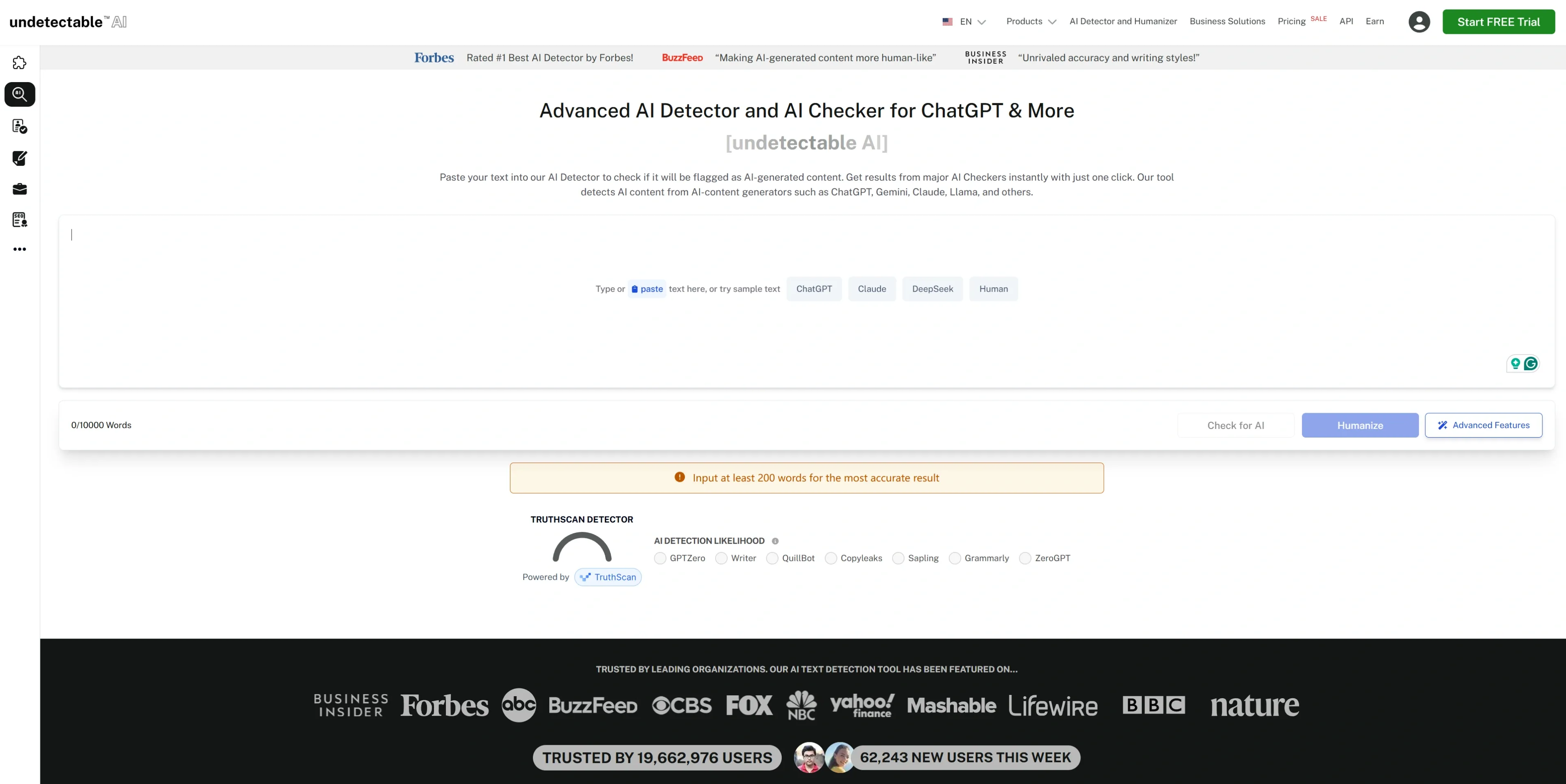
Undetectable AI makes more sense as a full writing platform than as a quick one-purpose humanizer.
Best for: Agencies, SEO teams, API users, and users who want a broader workflow with writing, rewriting, and detector-related tools.
Pros
Stronger fit for users who need a writing suite rather than only a simple rewrite box.
Useful for teams that want more workflow options, including API or SEO-oriented use cases.
Can support broader writing workflows beyond one-off humanization.
Cons
The workflow may feel heavier if you only want to rewrite a short paragraph quickly.
In testing, the output still needed cleanup and the GPTZero reference result was weaker than expected.
Read full review: Undetectable AI Review
Phrasly AI — Best All-in-One Writing Workspace to Test Carefully
Phrasly AI is useful if you want a dashboard with multiple writing tools, but its rewrite quality depends heavily on the mode you choose.
Best for: Users who want a humanizer, detector, content generator, editor, and plagiarism-related tools in one workspace.
Pros
Includes a broad dashboard with humanizer, detector, generator, Pages editor, and other writing tools.
Medium and Aggressive modes give users different levels of rewrite intensity.
Better for users who want a writing workspace than for users who only need one quick rewrite.
Cons
The free dashboard limit is small at 300 AI words.
Aggressive mode can change tone or introduce phrasing that needs manual cleanup.
Read full review: Phrasly AI Review
Stealth Writer — Best Dashboard to Use with Detector Caution
Stealth Writer can improve readability, but its built-in human score should not be treated as proof that external detectors will agree.
Best for: Users who want a rewrite-and-check dashboard for light cleanup.
Pros
The free plan is more usable than many competitors, with 10 humanizations/day and 1,000 words/input.
Rewritten output can read smoother than the original AI draft.
The dashboard is simple enough for quick testing.
Cons
Internal checker feedback may not match GPTZero-style results.
Not the safest choice for quality-sensitive or high-stakes writing.
Read full review: Stealth Writer Review
Walter Writes AI — Best Guided Dashboard for Short Drafts
Walter Writes AI is easy to use and visually polished, but its free trial is too small to fully judge the tool on longer or more nuanced drafts.
Best for: Users who want a guided dashboard, short rewrite tests, and simple detector feedback.
Pros
Clean interface and easy workflow.
Output can become clearer and more readable.
Useful for users who prefer a structured dashboard instead of a plain text box.
Cons
The free trial is limited to 300 words.
Rewrites can become longer, more formal, or less direct than the original draft.
Read full review: Walter Writes AI Review
HIX Bypass — Best Feature-Rich Tool to Test Carefully
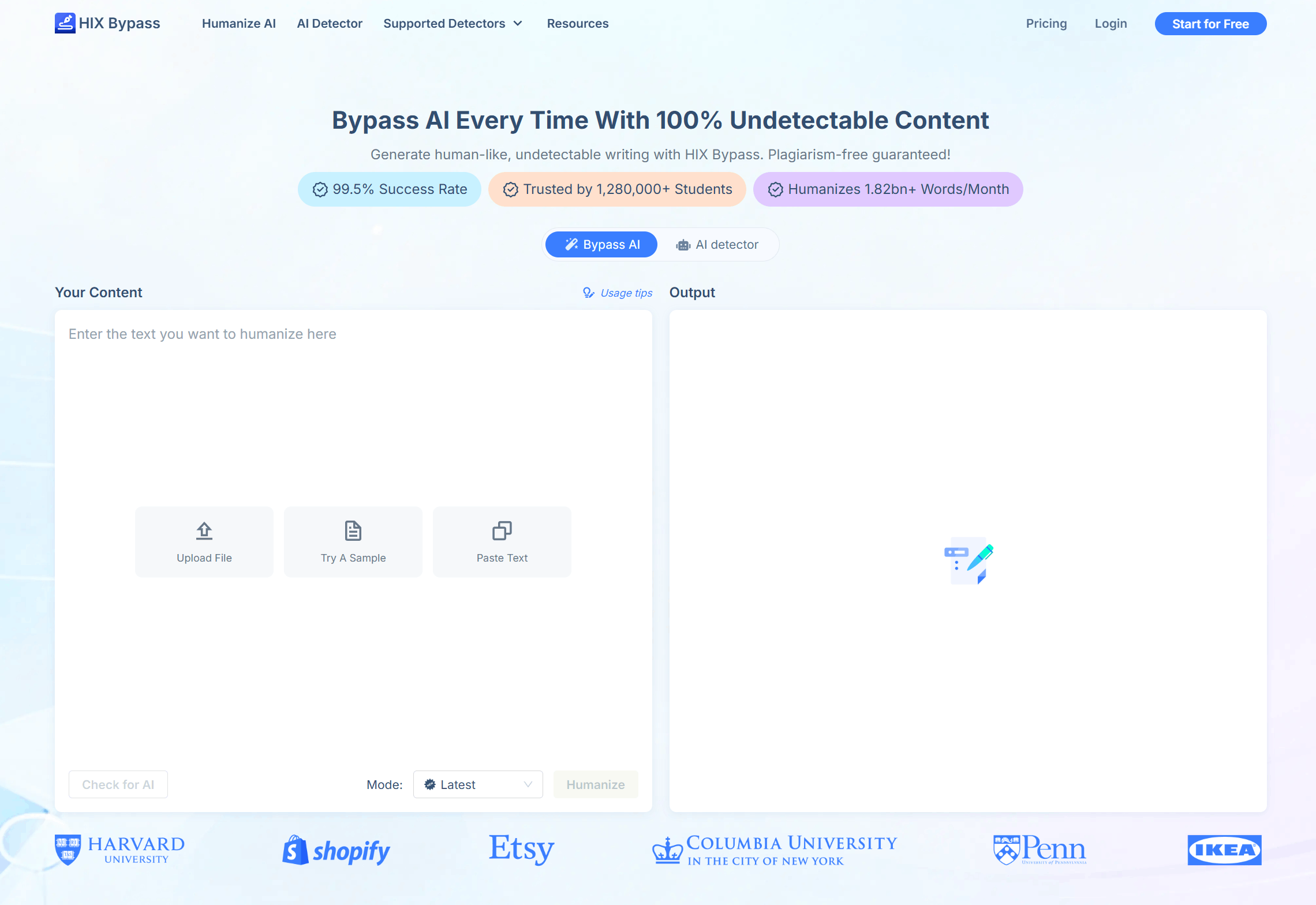
HIX Bypass has a broader feature set than many simple humanizers, but its output quality is not consistent enough to treat as a safe final-editing tool.
Best for: Users who want fast mode-based rewriting and are willing to manually review the output.
Pros
Offers different rewrite modes and a feature-rich workflow.
Can process a larger sample in the first test than some stricter free tools.
Useful if you want to compare lighter and stronger rewrite styles.
Cons
Output can include awkward phrasing or unnatural sentence choices.
Important information and tone may need closer review after rewriting.
Read full review: HIX Bypass Review
WriteHuman — Best Simple Short Cleanup Tool
WriteHuman is useful for short cleanup, but it is not the strongest choice for deeper rewriting or long-form consistency.
Best for: Short paragraphs, quick tests, and users who want a simple humanizer without a complicated dashboard.
Pros
Simple workflow and easy to understand.
Free plan gives 3 requests/month with 250 words/request.
Can make short AI-generated text read more naturally in some cases.
Cons
Free testing is limited.
Output quality can be mixed, especially on longer or more nuanced writing.
Read full review: WriteHuman AI Review
TwainGPT — Best Lightweight All-in-One Tool
TwainGPT is a lightweight all-in-one option for users who want a humanizer, detector, and generator in one place, but its rewrite quality is not strong enough to make it a top overall choice.
Best for: Short rewrites, quick experiments, and users who want several basic AI writing tools in one dashboard.
Pros
Includes humanizer, detector, and generator-style tools.
Convenient for testing short pieces of text.
Can improve surface-level readability in simple drafts.
Cons
The free humanizer limit is small at 250 words/month.
Output can feel shallow or uneven compared with stronger tools.
Read full review: TwainGPT Review
Humbot AI — Best Broad Toolkit with Mixed Humanization Depth
Humbot AI is better understood as a broad writing toolkit than as the strongest dedicated AI humanizer.
Best for: Users searching for Humbot or Humboldt AI who want a broader set of AI writing and research tools.
Pros
Offers more than a single rewrite function.
Useful for users who want to test multiple AI writing features in one place.
Can preserve the basic meaning of simple text.
Cons
Free testing space is small, and the Basic plan starts with a 500-word input limit.
Humanization depth and output naturalness are not as strong as more focused tools.
Read full review: What Is Humboldt AI?
Grubby AI — Best Budget Option for Low-Stakes Testing
Grubby AI is not the first tool I would choose for serious editing, but it is not useless either. Its strongest appeal is price-sensitive testing.
Best for: Low-stakes drafts, budget users, and people who want to test a cheaper AI humanizer before choosing a stronger tool.
Pros
Budget-friendly compared with some larger tools.
Can improve detector feedback in some tests.
Simple enough for quick short-draft experiments.
Cons
Free access is very limited.
Output consistency and user feedback are mixed, so it needs careful review.
Read full review: Grubby AI Review
Final Recommendation: Which AI Humanizer Should You Use?
If you want the best overall starting point, choose GPTHumanizer AI. It has the most practical combination of free access, no sign-up, meaning retention, natural readability, and focused AI text refinement. It is especially useful if you want to improve AI-assisted drafts without getting pulled into a large writing suite or a complicated dashboard.
If you already use QuillBot, QuillBot AI Humanizer is worth testing because it fits naturally into the QuillBot ecosystem. Just keep expectations realistic. It is better for light polish than for deeper sentence-level rewriting.
If you need a larger platform for teams, SEO workflows, or API use, Undetectable AI is a better fit than a simple one-box humanizer. It is more of a full writing suite, so it makes sense for users who need more than quick rewriting.
If you want an all-in-one dashboard with several writing tools, Phrasly AI is worth testing, but mode choice matters. Medium-style rewriting is usually safer than aggressive rewriting when you care about tone and meaning.
If you only need short cleanup, WriteHuman and Walter Writes AI can be useful. They are easy to understand, but their free trials and output depth are limited.
If you want to test cheaper or broader tools, Grubby AI, TwainGPT, Humbot AI, Stealth Writer, and HIX Bypass can all be tested with caution. I would not treat any of them as a final no-review solution. Their value depends heavily on the draft, the rewrite mode, and how carefully you check the output afterward.
My final ranking is:
GPTHumanizer AI — Best overall free AI humanizer
QuillBot AI Humanizer — Best for existing QuillBot users
Undetectable AI — Best full writing suite
Phrasly AI — Best all-in-one writing workspace to test carefully
Stealth Writer — Best dashboard to use with detector caution
Walter Writes AI — Best guided dashboard for short drafts
HIX Bypass — Best feature-rich tool to test carefully
WriteHuman — Best simple short cleanup tool
TwainGPT — Best lightweight all-in-one tool
Humbot AI — Best broad toolkit with mixed humanization depth
Grubby AI — Best budget option for low-stakes testing
FAQ
What is the best AI humanizer in 2026?
For most users, GPTHumanizer AI is the best overall AI humanizer in this comparison because it offers free no-sign-up access, strong meaning retention, and natural readability. QuillBot, Undetectable AI, and Phrasly AI may fit better if you prefer a larger writing suite.
What is the best free AI humanizer with no sign-up?
GPTHumanizer AI is the best free AI humanizer with no sign-up in this comparison. Its free Lite workflow supports 300 words per request and lets users test the tool without creating an account, which makes it more practical than many limited free trials.
Can AI humanizers preserve the original meaning?
Yes, but the result depends on the tool and the rewrite mode. A good AI humanizer should improve flow and readability without changing the original point, key details, or tone. In this comparison, GPTHumanizer AI and QuillBot AI Humanizer performed better on meaning retention.
Which AI humanizer sounds the most natural?
GPTHumanizer AI had the strongest balance of naturalness, readability, and meaning retention in this comparison. Phrasly AI and Undetectable AI can also produce usable output, but they may need more careful review depending on the mode and draft type.
Can AI humanizers still be detected by GPTZero?
Yes. AI humanizers can still be detected by GPTZero or other AI detectors, especially when the rewrite is shallow or the original text is very generic. GPTZero results are useful as a reference, but they should not be treated as final proof of writing quality.
Is using an AI humanizer cheating or plagiarism?
It depends on the context. For blog posts, emails, marketing copy, and business writing, an AI humanizer can be used as an editing tool to improve clarity and readability. In academic or restricted settings, users should follow the rules of their school, employer, or platform.
Responsible Use Note
AI humanizers should be used as writing refinement tools, not as a way to misrepresent work or avoid required review. The safest workflow is to start with a draft you understand, use the humanizer to improve clarity and readability, compare the output with the original text, and make final edits yourself.
Detector feedback can help you review a draft, but it should not be the only standard. The best result is not simply a lower AI-likelihood score. The best result is writing that sounds natural, keeps the original meaning, protects important information, and is ready for a real human reader.

Related Articles
test-en-may-22
sum
 Ethan Miller
Grammarly AI Humanizer Review 2026: Feature, Pricing & Comparison
Looking for an honest Grammarly AI Humanizer review in 2026? Explore its key features (Humanize, Cus...
Ethan Miller
What's New in GPTHumanizer AI’s December 2025 Update
Discover GPTHumanizer AI’s December 2025 updates: New AI Translator, PayPal support, high-value Life...
Ethan Miller
Phrasly AI Review 2026: Feature, Pricing & Comparison
A practical, ethics-first review of Phrasly AI in 2026—features, pricing, strengths/limits, real use...
Ethan Miller